
Blog
When to Replace an HP45 Cartridge
Replace HP45 cartridge units when codes show HP45 print fading, missing nozzles that cleaning does not fix, or clear signs the HP45 cartridge is running out of ink. Plan swaps with spare new or remanufactured 51645A stock (MOQ 10) so the line does not stop. Ask on WhatsApp for a quote — we do not publish prices on this page.
This guide helps operators and buyers decide when to replace an HP45 cartridge on printers and coders that use 51645A-type 12.7mm water-based black cartridges. It covers visual signs, a simple decision checklist, and how to keep MOQ-ready stock without repeating our remanufactured-versus-new comparison article.
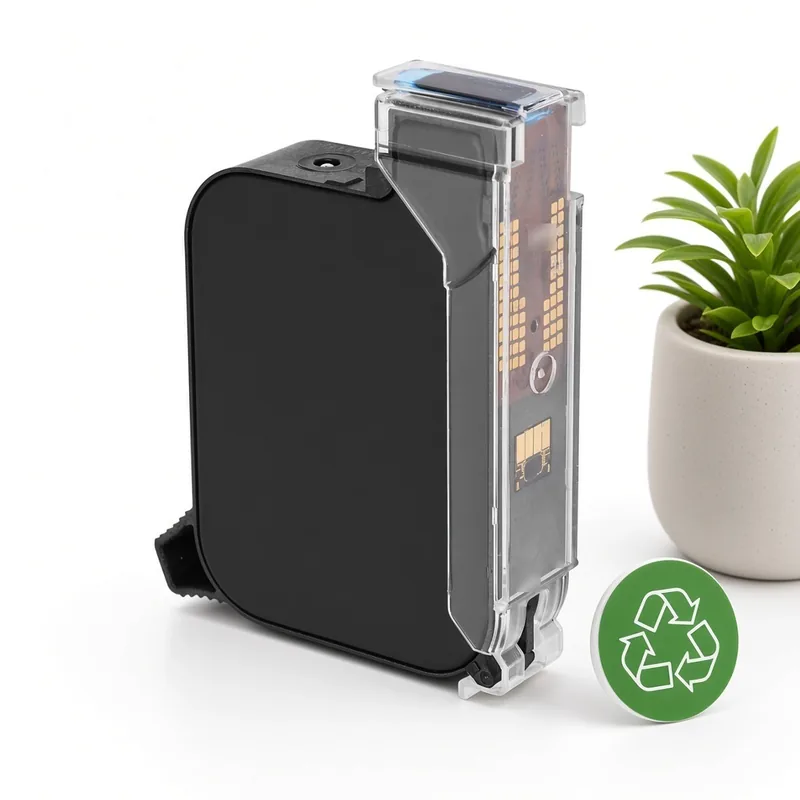
What “replace HP45 cartridge” means on the line
To replace an HP45 cartridge means removing a finished or failing 51645A-compatible unit and installing a sealed new or remanufactured cartridge that has passed our checks. We supply two product types only: new and remanufactured black cartridges for HP45 (51645A). Both use water-based black ink for porous surfaces such as paper, cartons and wood, with a 12.7mm (half-inch) print swath and a 42ml-class fill (exact fill confirmed with the quote). The MOQ is 10 units.
MufengTech is an independent supplier. Our products are not HP-branded or HP-official items. HP45 and 51645A are used only to describe compatibility. We never claim HP authorization, certification or partnership.
Signs an HP45 cartridge is running out
An HP45 cartridge running out of usable ink rarely fails in a single second. Watch for these production signals:
- Codes become lighter across the full print height even after a gentle nozzle wipe
- Solid test bars look streaky or incomplete after reseating the cartridge
- The printer or coder reports low ink when your model supports ink-level sensing
- You know the shift count is near the usual yield for that layout and resolution
HP45 print fading can also come from a dirty nozzle plate, a large print gap, or damp dusty cartons — so wipe gently and check setup before you scrap a half-full cartridge. If fading returns immediately on a clean, correctly seated unit, plan a replacement.
HP45 cartridge life: what actually limits it
HP45 cartridge life depends on how much ink each code uses, the resolution you print at, storage before install, and whether the cartridge was capped between jobs. A sealed cartridge stored cool and dry lasts longer on the shelf than an opened unit left uncapped. Life is not a fixed public price or a single calendar date on this website — ask for lot guidance with your quote.
| Signal | Likely cause | Action |
|---|---|---|
| Light codes, full width | Ink low or end of useful life | Replace cartridge; keep MOQ spares |
| Missing nozzle lines after wipe | Dried nozzles or damaged head | One gentle wipe; if unchanged, replace |
| Smear on plastic/film | Wrong ink chemistry for non-porous surface | These HP45 units are water-based for porous packs — use solvent TIJ elsewhere |
| Good test, weak on line | Print distance or speed/resolution mismatch | Fix setup first; replace only if ink is also low |
| Empty shell | Finished cartridge | Install spare; recycle genuine original empties only |
New or remanufactured when you reorder
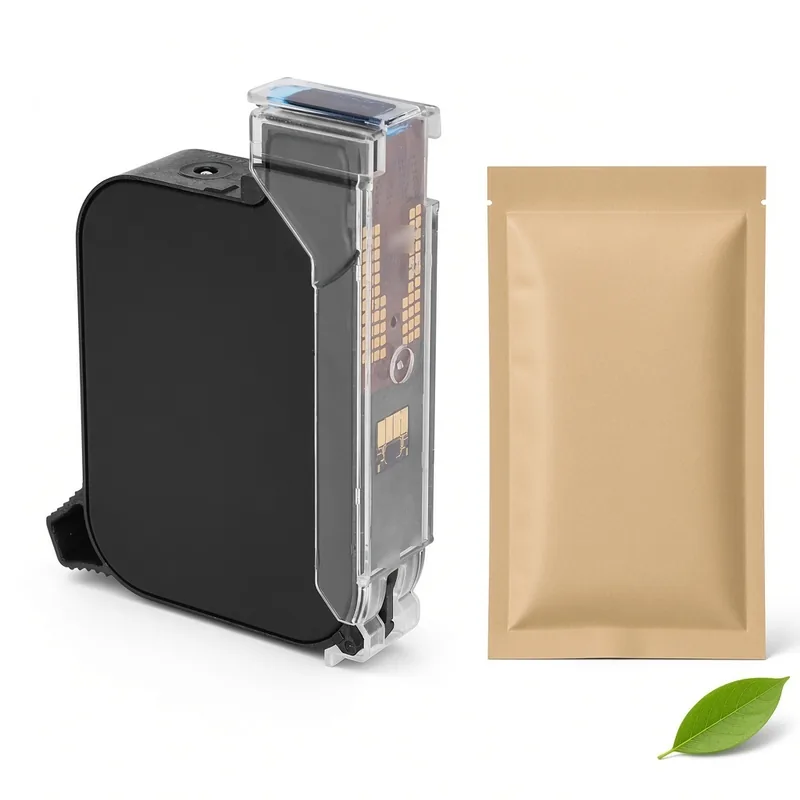
When you reorder to replace an HP45 cartridge, choose new black cartridge for HP45 (51645A) or remanufactured black cartridge for HP45 (51645A) based on your preference for a never-used unit versus a recovered genuine original shell that we deep clean, refill, test and seal at our Hong Kong base. Both types share water-based black ink, 12.7mm swath, 42ml-class fill and MOQ 10. For a full process comparison see our existing remanufactured vs new HP45 guide — this article focuses on when to swap, not which type to prefer.
Checklist: replace now or adjust setup?
- Wipe once. Gently clean the nozzle plate with soft paper; never scrape.
- Reseat. Confirm the cartridge locks cleanly and contacts are free of dust.
- Check distance and material. Keep a short, steady gap on porous paper or carton stock.
- Print a test bar. If nozzles stay missing or density stays low, replace the cartridge.
- Install from sealed stock. Open one unit at the printer; keep the rest sealed, cool and dry.
- Log the change. Note time, product type (new or remanufactured) and remaining spare count.
Plan spares so HP45 cartridge life never stops the line
Because the MOQ is 10 units, treat replacements as a small inventory item: keep enough sealed cartridges for your busiest week, rotate older lots first, and open a pouch only when you install. Quotes are available on WhatsApp +86 158 1405 1051; prices are not listed here. Quotes are typically discussed with origin, packaging and date-code notes for new units, and lot guidance for remanufactured units.
When a cartridge is empty, recycling is separate: we only buy genuine HP original HP45 empties. Do not mix sealed product with empty returns. For porous TIJ coding beyond HP45-format cartridges, see tijinkjet.com.
FAQ: when to replace an HP45 cartridge
When should I replace an HP45 cartridge?
What does HP45 print fading usually mean?
How do I know an HP45 cartridge is running out?
What is the MOQ and do you show prices?
Do you accept non-original empties after I replace cartridges?
Written by the team at Shenzhen Mufeng Technology Limited Company. Questions or orders: WhatsApp +86 158 1405 1051. HP is a trademark of HP Inc. MufengTech is not affiliated with HP Inc.
Related articles
- HP45 Cartridge Shelf Life and Storage GuideHP45 cartridge shelf life and storage for new and remanufactured 51645A cartridges: sealed packaging, cool dry storage, FIFO and when to open a unit.
- HP45 Empty Cartridge Grades A, B and C ExplainedHP45 empty cartridge grades A, B and C explained: what each grade means, what is not accepted, how inspection works and how to keep a better grade.
- How to Buy HP45 Cartridges in Bulk: MOQ, Quotes, ShippingBuy HP45 cartridges in bulk: new vs remanufactured for 51645A equipment, MOQ of 10, what to send for a WhatsApp quote, samples and shipping from Hong Kong.