
Blog
Common HP45 Cartridge Print Problems and Quick Fixes
Most HP45 cartridge print problems come from four causes: dried or blocked nozzles, dirty electrical contacts, the wrong print distance or settings, or the wrong ink for the surface. Each can usually be checked and fixed in a few minutes before you replace the cartridge.
The HP45 (51645A) black cartridge is widely used in 12.7mm thermal inkjet (TIJ) coders and handheld printers for cartons, bags and wood. This guide lists the most common faults, what causes them and the quick fix for each, so you can get the line running again.
How an HP45 cartridge prints
Thermal inkjet means each tiny nozzle has a heater. An electrical pulse heats the ink, forms a vapour bubble and pushes out one drop. The print head is part of the cartridge, so a fresh cartridge also gives you a fresh print head.
The HP45 uses water-based black ink and prints a swath up to 12.7mm high. Water-based ink dries by soaking into porous materials such as paper, cartons and wood. That is why most print problems relate either to the nozzles, the electrical contacts, or the surface you print on.
HP45 cartridge print problems: quick reference
| Symptom | Likely cause | Quick fix |
|---|---|---|
| White lines or missing dots in the code | Dried ink or debris on some nozzles | Gently wipe the nozzle plate; run the coder's purge or cleaning function |
| Nothing prints at all | Protective tape still on, dried nozzles, or no electrical contact | Remove tape, clean nozzles and contacts, reseat the cartridge |
| "Cartridge not recognised" or error message | Dirty or damaged contacts, cartridge not fully seated | Clean contacts on cartridge and holder with a dry lint-free cloth |
| Faded or light print | Low ink, print distance too large, low print density setting | Check ink level, move the head closer, raise density |
| Smeared code | Non-porous surface, or product touched before dry | Use a solvent cartridge for non-porous materials; allow drying time |
| Stretched or squashed characters | Speed setting or encoder does not match the line speed | Match the speed setting to the line, check the encoder wheel |
| Blurred or fuzzy edges | Head too far from the surface or at an angle | Keep a close, even gap and hold the head square |
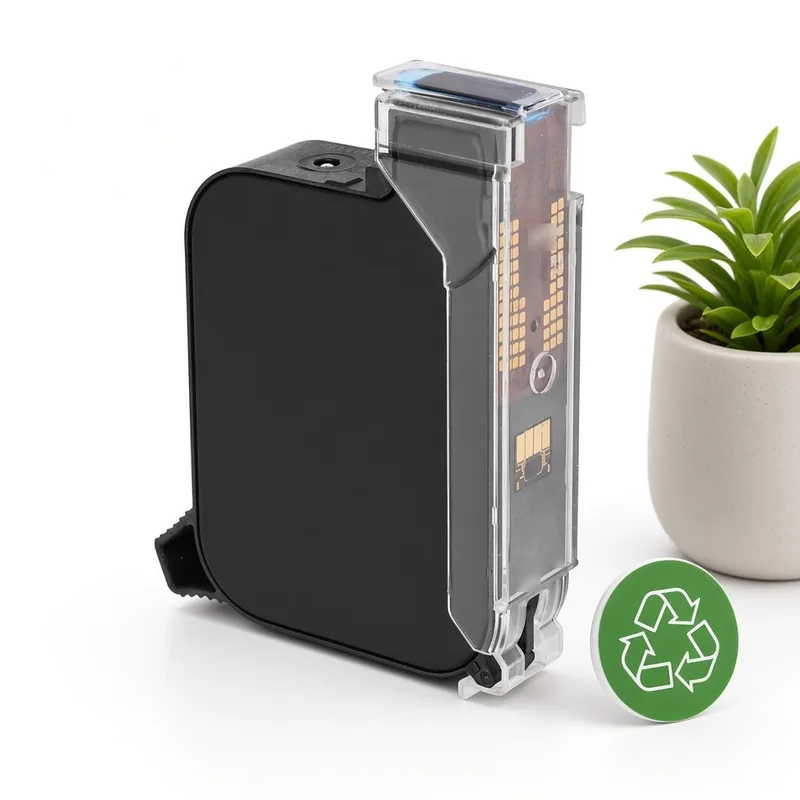
Fix 1: Missing lines or dots (blocked nozzles)
Blocked nozzles are the most common HP45 cartridge print problem. They happen when a cartridge is left uncapped, the line stops for a long time, or dust settles on the nozzle plate.
- Remove the cartridge and look at the nozzle plate.
- Gently wipe it once in one direction with a lint-free cloth lightly dampened with clean water. Never scrape it or use paper tissue, which can leave fibres or scratch the plate.
- Reinstall the cartridge and run the coder's purge, spit or cleaning function if it has one.
- Print a test pattern. If a few dots are still missing, repeat once; if whole sections stay blank, the head may be damaged and the cartridge should be replaced.
Fix 2: Cartridge not recognised (contacts)
The gold-coloured contact strip on the cartridge carries the firing signals. Ink, dust or a fingerprint on the contacts, or on the matching pins in the holder, can stop the coder from detecting the cartridge or cause random missing dots.
- Switch off the coder and remove the cartridge.
- Wipe the cartridge contacts and the holder contacts with a dry lint-free cloth. Do not touch them with bare fingers.
- Let everything dry completely if any ink was present.
- Reinsert the cartridge firmly until it clicks or locks, then switch on again.
Fix 3: Faded, blurred or smeared codes
Print distance is the gap between the nozzles and the product. HP45-type coders work best when the head is very close to the surface, typically only a few millimetres. A larger gap or an angled head gives faded or fuzzy characters. Use guides or rollers so every product passes at the same distance.
If the code smears, look at the material. Water-based HP45 ink is made for porous surfaces. On plastic film, coated board, metal or glass it stays wet and smears. For those materials, a solvent quick-drying TIJ cartridge is the better choice; our sister site tijinkjet.com covers solvent TIJ cartridges.
Fix 4: Stretched or squashed characters
On online coders, character width depends on the speed setting or on an encoder that measures line speed. If the code looks stretched or compressed, check that the speed in the coder matches the conveyor, that the encoder wheel is in contact with the belt, and that the product sensor triggers at the same point each time.
Prevent problems: storage and handling
- Keep new cartridges sealed in their packaging until use and store them in a cool, dry place.
- Cap or cover the nozzles when the coder stands idle, and use the coder's standby or cleaning routine if it has one.
- Handle cartridges by the body only, never by the nozzle plate or contacts.
- Use cartridges in rotation so older stock is used first.
When to replace the cartridge
If the cartridge is empty, physically damaged, or still prints with large gaps after cleaning, replace it. MufengTech supplies two product types:
- New black cartridge for HP45 (51645A), sourced from HP45 cartridge manufacturers and tested and sealed before sale.
- Remanufactured black cartridge for HP45 (51645A), made at our Hong Kong base with deep cleaning, controlled refilling, electrical and nozzle checks, a print test, and leak and weight checks before final QC. See how we remanufacture.
The minimum order is 10 units, and prices are quoted on request via WhatsApp. Not sure which to choose? Read remanufactured vs new HP45 cartridges.
Finished cartridges do not have to be thrown away: we buy empty genuine HP original HP45 cartridges through our recycling program. Non-original, compatible or remanufactured empties are not accepted.
FAQ: HP45 cartridge print problems
Why is my HP45 cartridge not printing?
How do I clean HP45 nozzles?
Why does my HP45 code smear on plastic?
What is the minimum order for replacement cartridges?
Do you accept used cartridges for recycling?
Written by the team at Shenzhen Mufeng Technology Limited Company. Questions or orders: WhatsApp +86 158 1405 1051. HP is a trademark of HP Inc. MufengTech is not affiliated with HP Inc.
Related articles
- How to Identify a Genuine HP Original HP45 Empty CartridgePractical checks to tell a genuine HP original HP45 (51645A) empty cartridge from a compatible or refilled one before you sell or ship it for recycling.
- Where HP45 Cartridges Are Used Today: From Printers to Industrial CodingHP45 (51645A) cartridges started in desktop printers and are now widely used in 12.7 mm thermal inkjet coders for cartons, bags and wood. Here is where they go.
- How to Store and Ship Empty HP45 Cartridges So They Keep Their ValueSimple storage and packing rules for empty HP45 cartridges: protect the nozzle, bag each unit, avoid heat and crushing — and get a better grade at inspection.